Saving and Loading Transformation Templates
Transformations that were applied to a dataset, either automatically or manually, can be saved in a Registration Template file. These files can be loaded and applied at anytime in the Slice Registration context to maintain consistency between datasets that share the same characteristics.
Registration template options
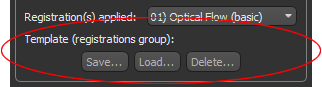
 How to Save a Registration Template
If required, you can save the transformations that were applied to a dataset in a registration template.
- Register the required dataset (see Aligning Slices Automatically and Aligning Slices Manually).
- Click the Save button in the Registration box.
- Enter a name for the registration template in the Save dialog, optional.
- Click the OK button.
How to Load a Registration Template
If required, you can load a saved registration template. When loaded, the transformation contained in the file will be applied automatically to the current dataset. The current dataset must have the same number of image slices as the original dataset that was used to create the registration template.
- Click the Load button in the Registration box.
- Select the required registration template in the Load dialog.
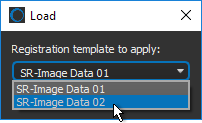
- Click the OK button.
The registration is applied automatically to the current dataset.
How to Delete a Registration Template
If required, you can delete saved registration templates.
- Click the Delete button in the Registration box.
- Select the registration template(s) you want to delete in the Delete dialog.
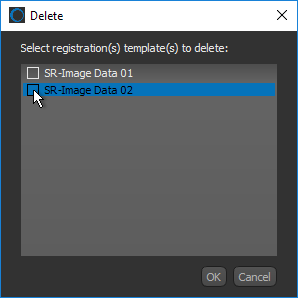
- Click the OK button.


